Reservation software for restaurants
Online bookings, phone bookings, a floor plan and a waitlist, on tablets and phones. It works on its own or together with Flow.
See how it works
 2:27
Before service
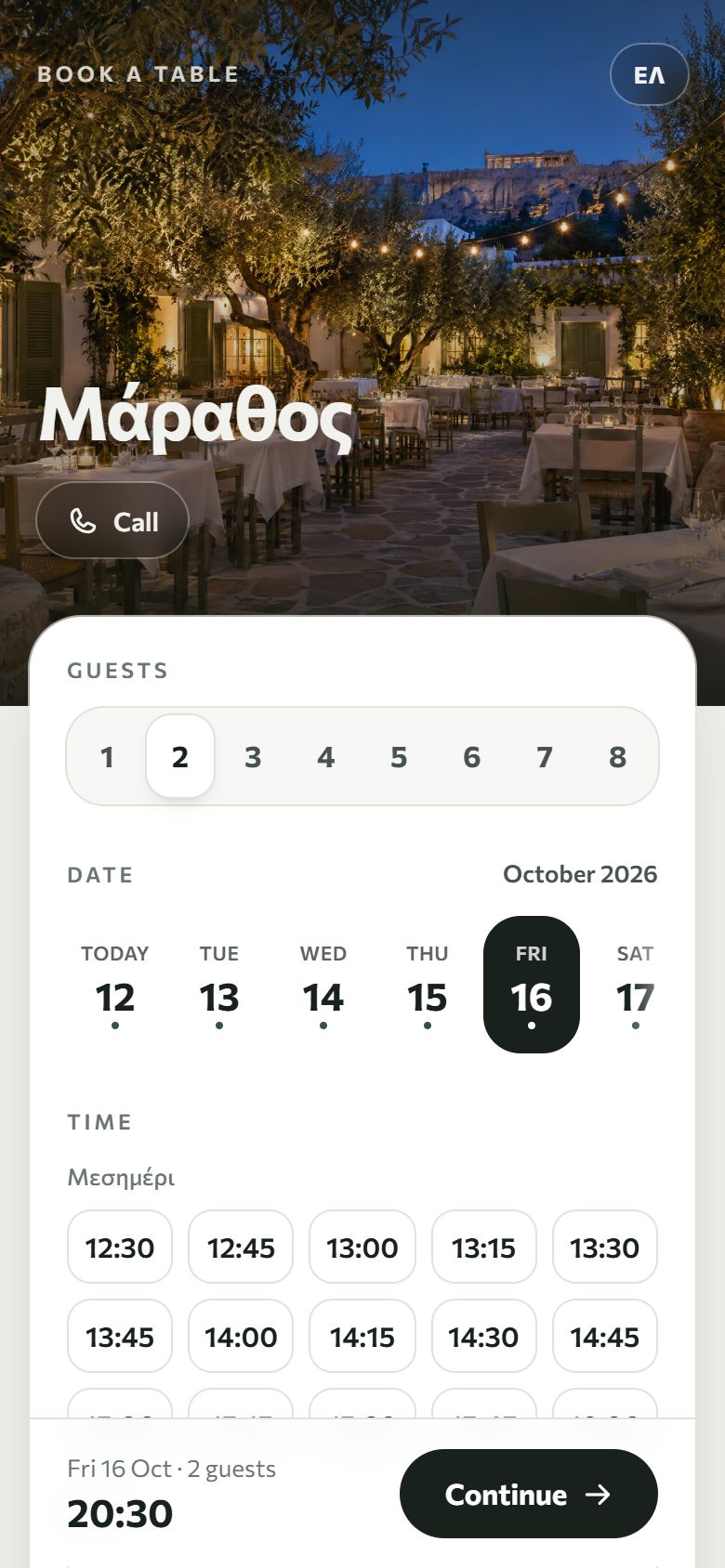
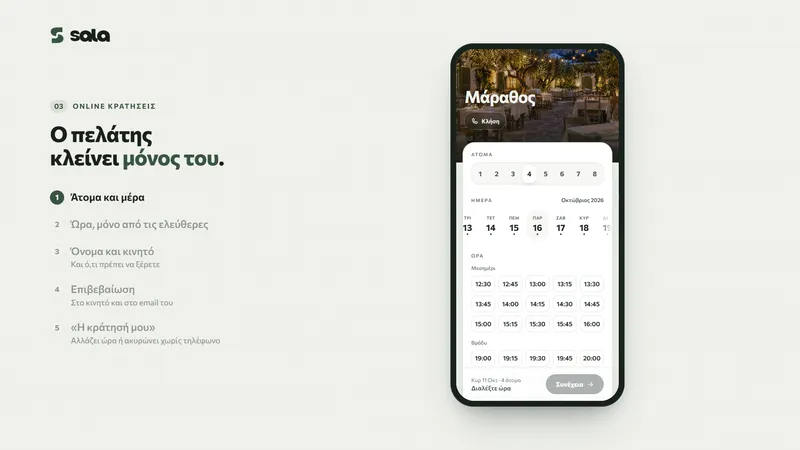
Online and phone bookings
- Online booking
- Put the booking page on your website, on Instagram or on Google. Guests get a link and can change or cancel on their own.
- Phone bookings
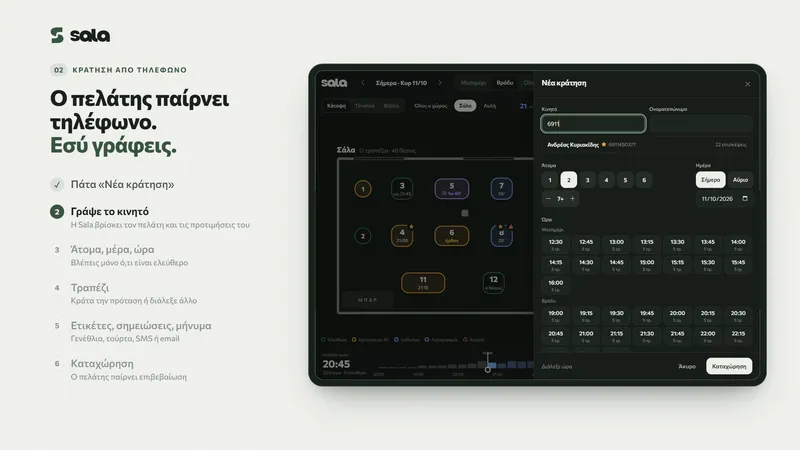
- Type the mobile number and, if the guest has been before, you see their visits, allergies and preferences. Sala only shows times with a free table and suggests one.
- Confirmations
- By SMS or email, with text you write yourself.
During service
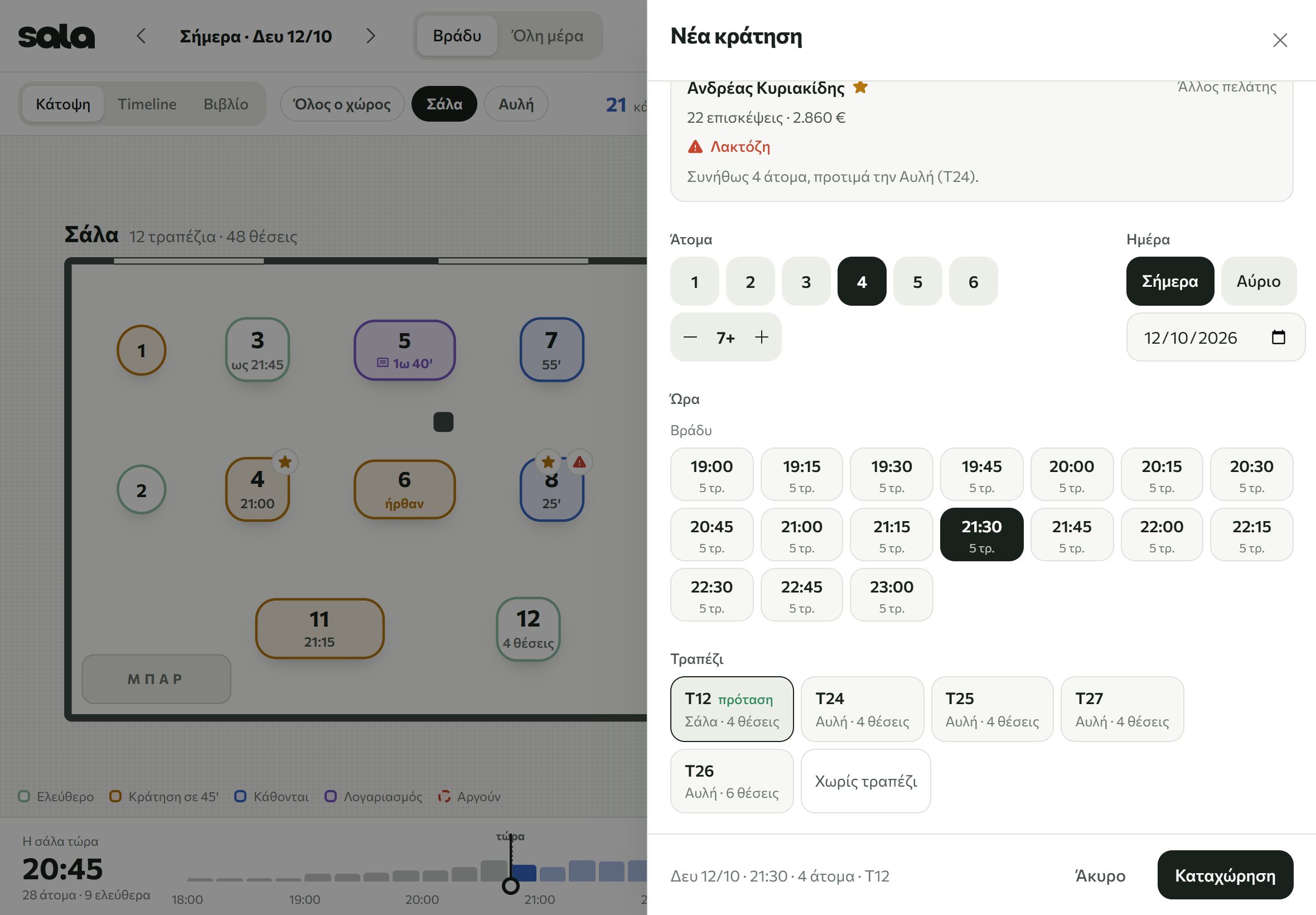
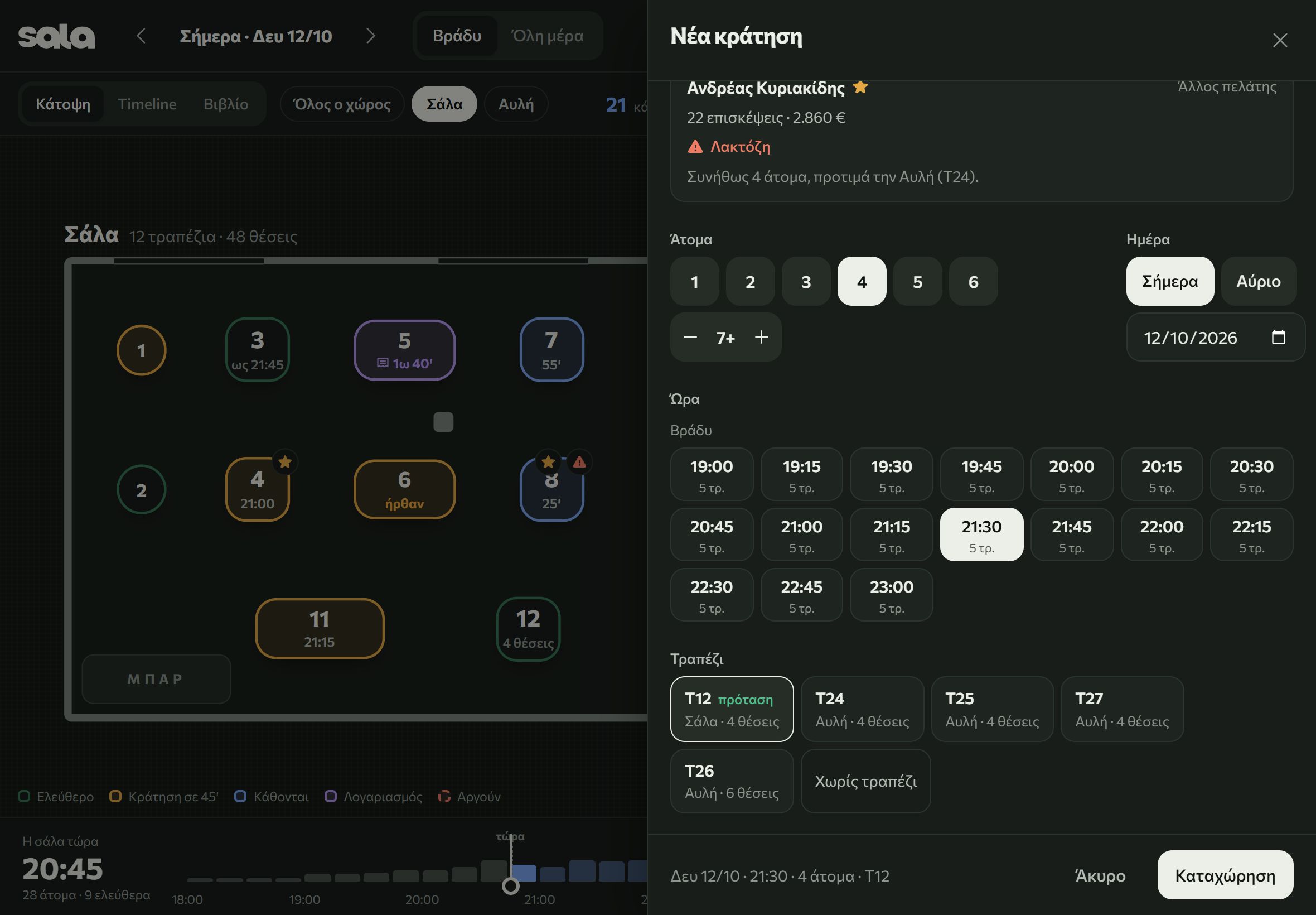
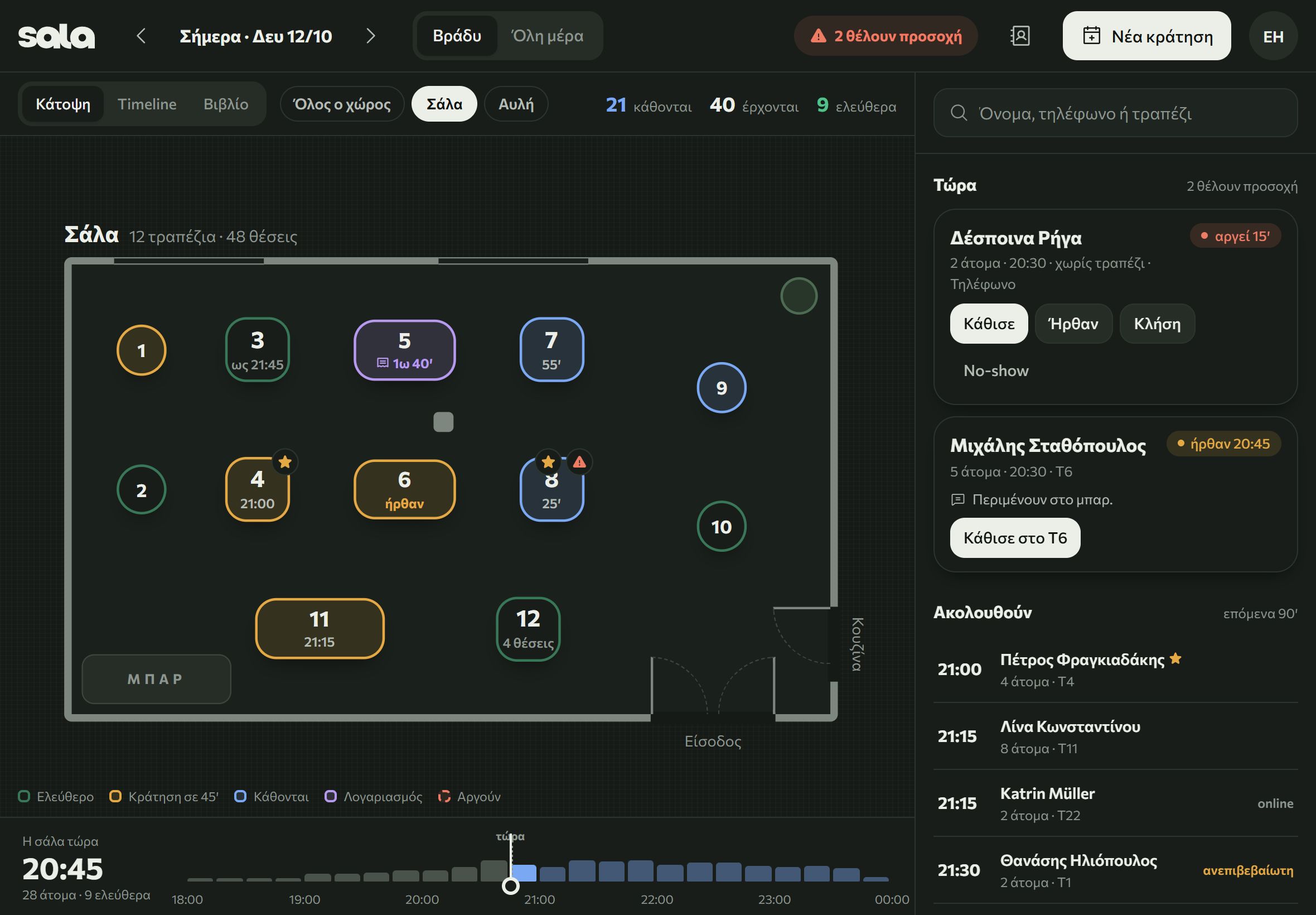
The room during service
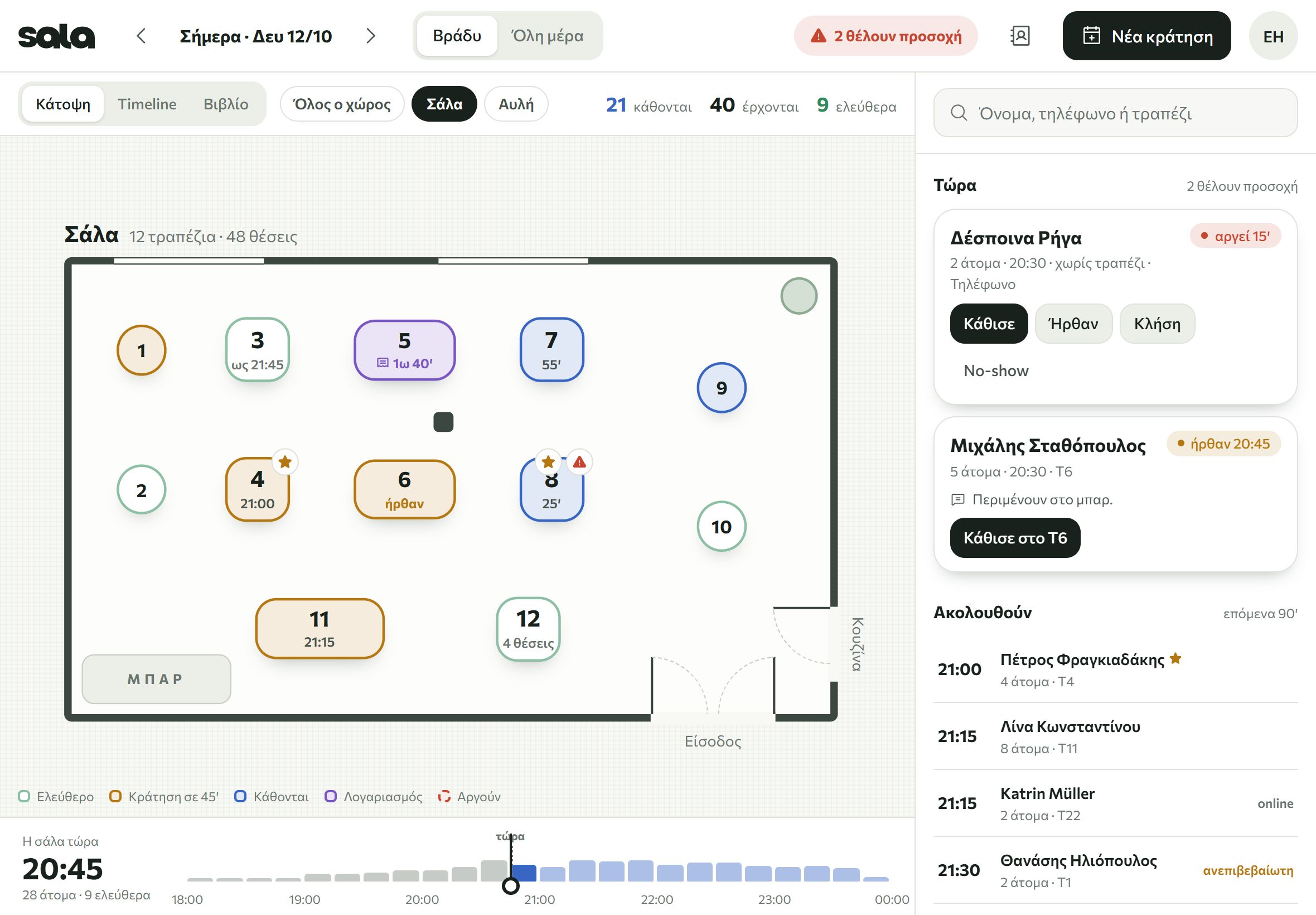
- Service screen
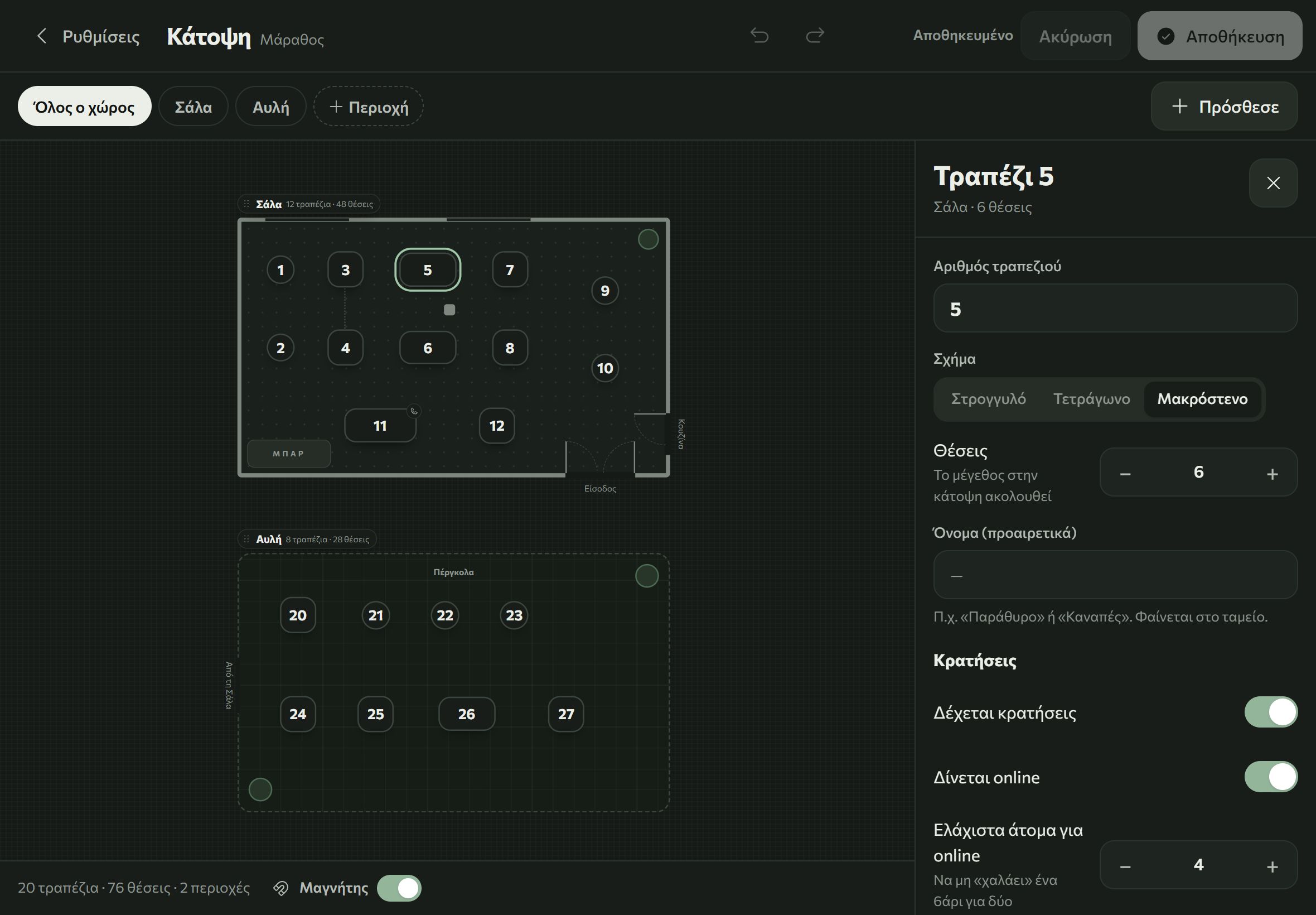
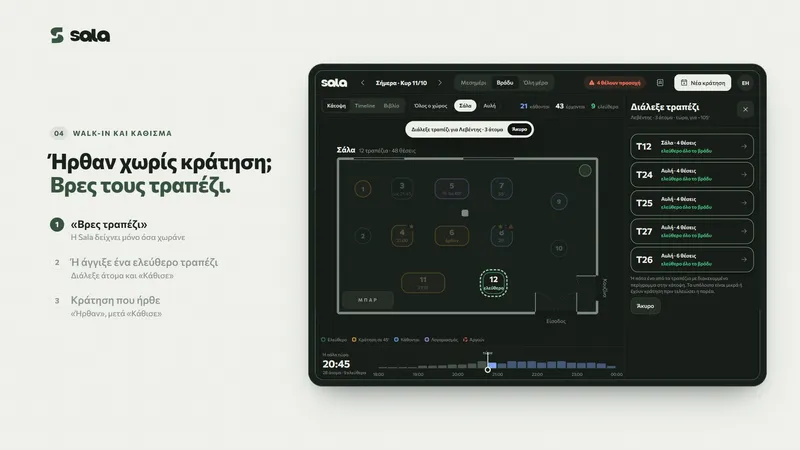
- The floor plan with the rooms and the courtyard. You see who is running late and how the room will look later in the evening.
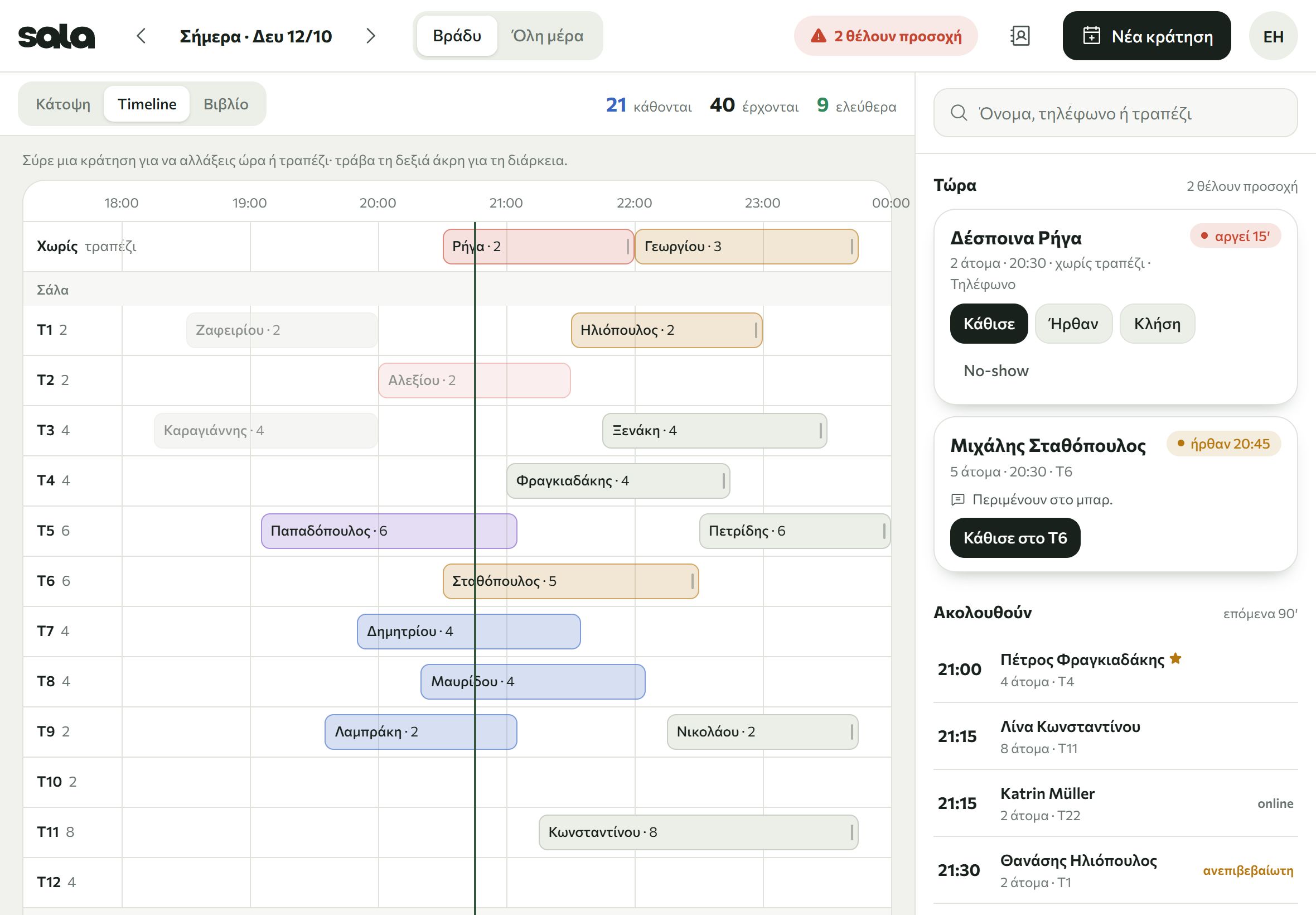
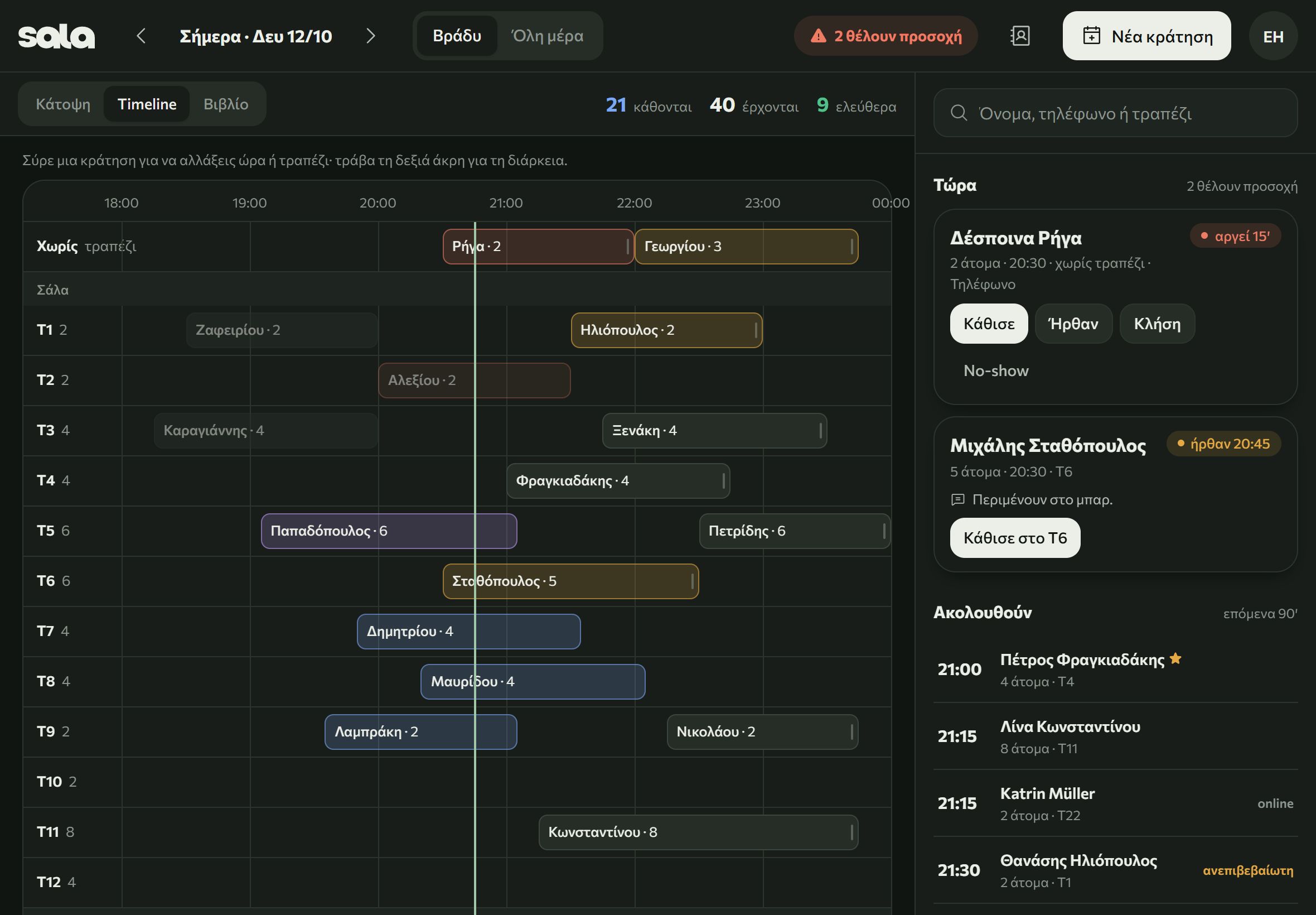
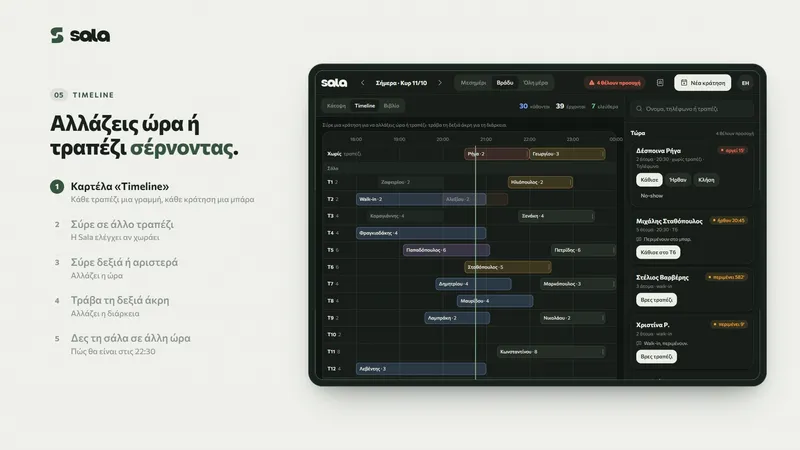
- Timeline
- Bookings by table and time. To change the time or the table, drag the booking. If you prefer a list, there is the book view too.
- Walk-ins and waitlist
- Guests without a booking sit at a free table or go on the waitlist.
After service
Guest list and reports
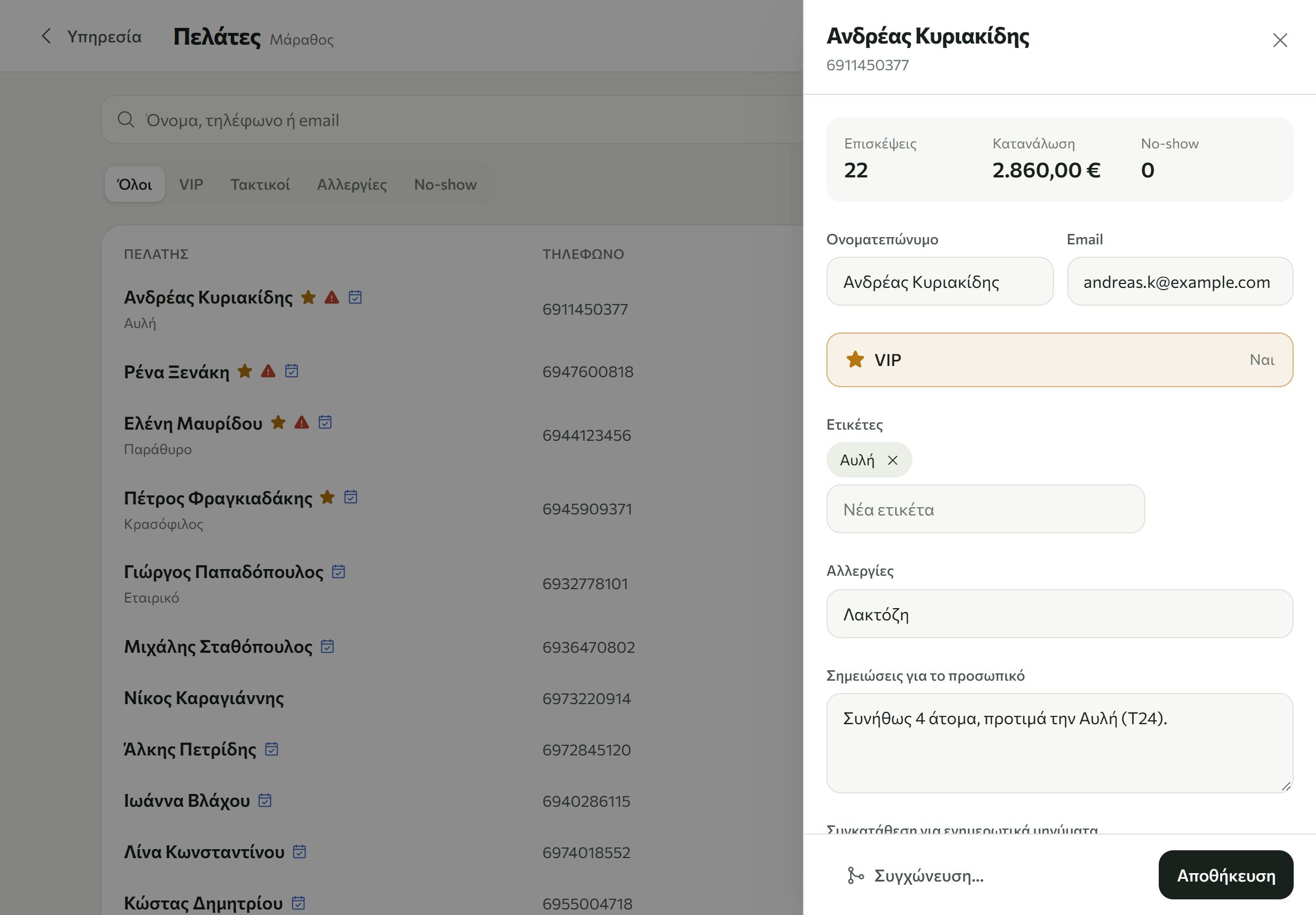
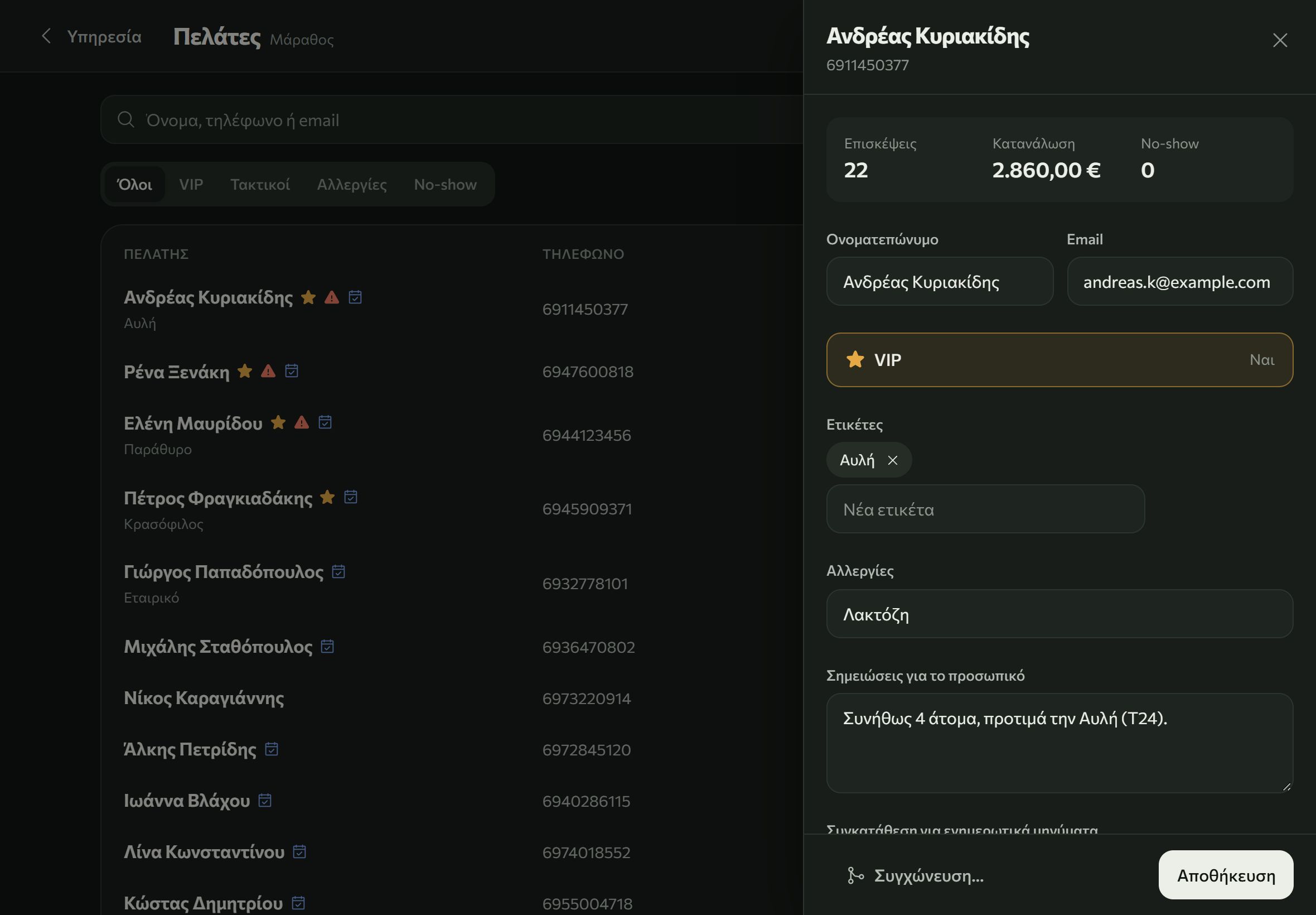
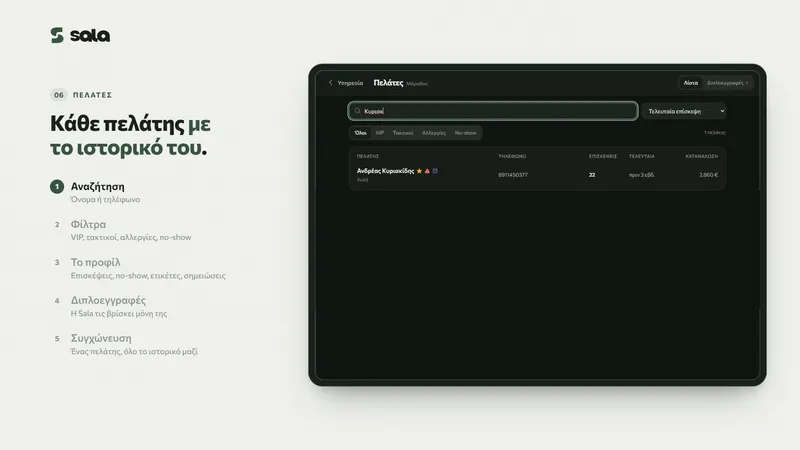
- Guest list
- Every guest with their history. If someone was entered twice, Sala spots it and merges the records.
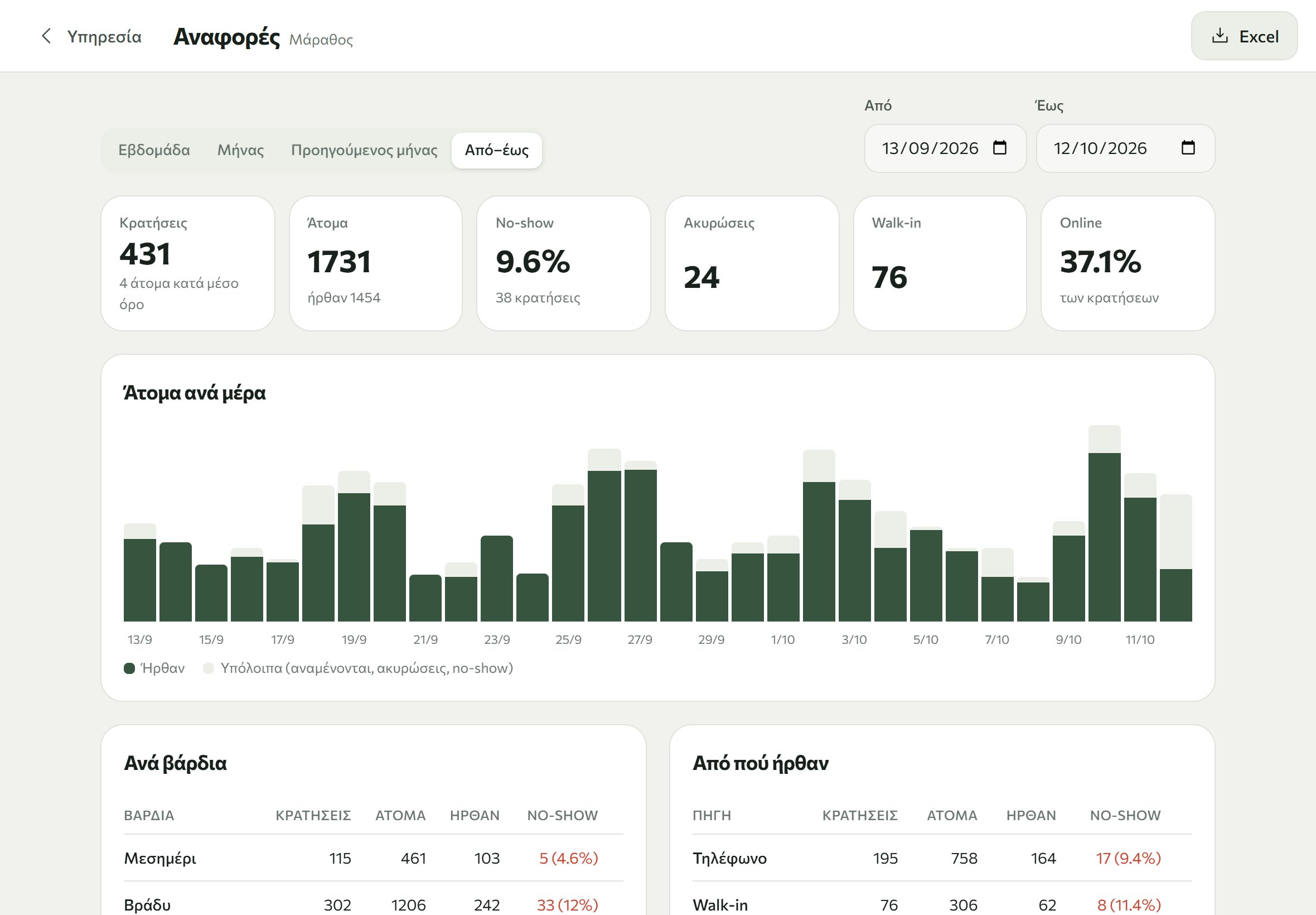
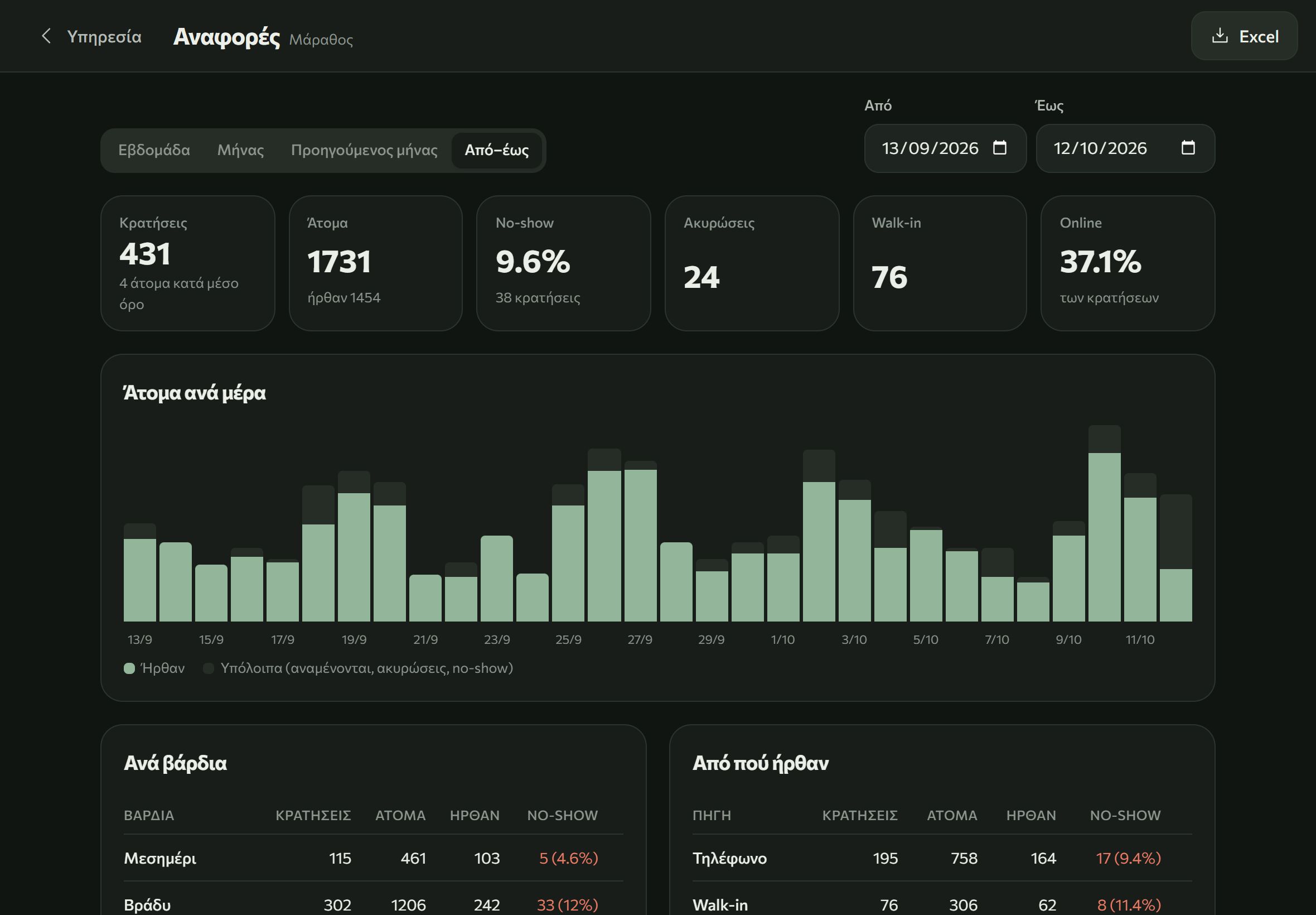
- Reports
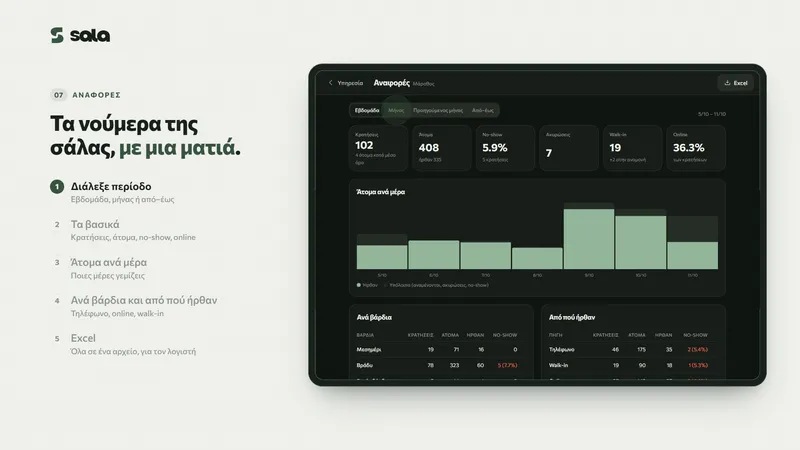
- How many guests came per day and per shift, and where the bookings came from. Export to Excel.
You set it up yourself
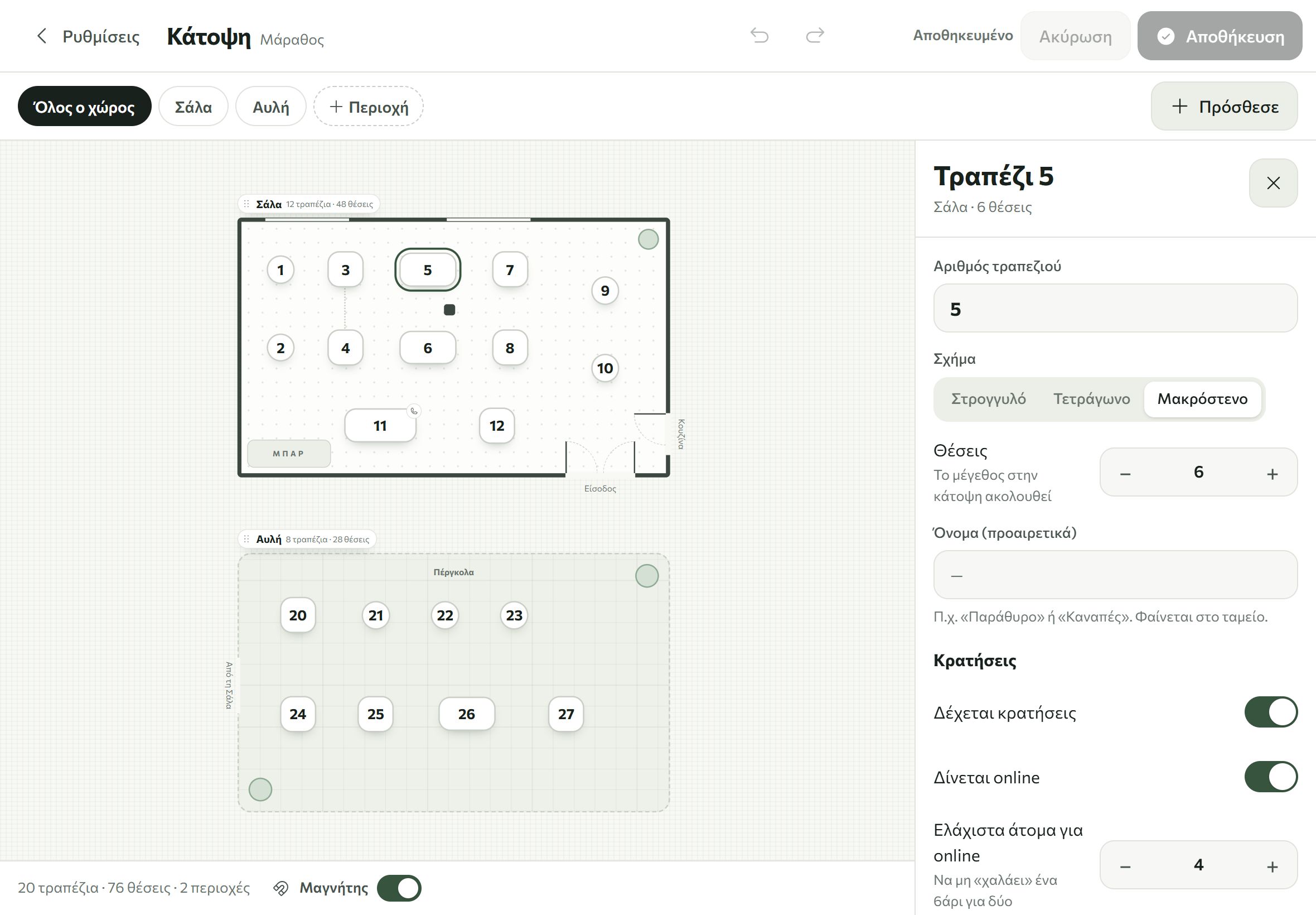
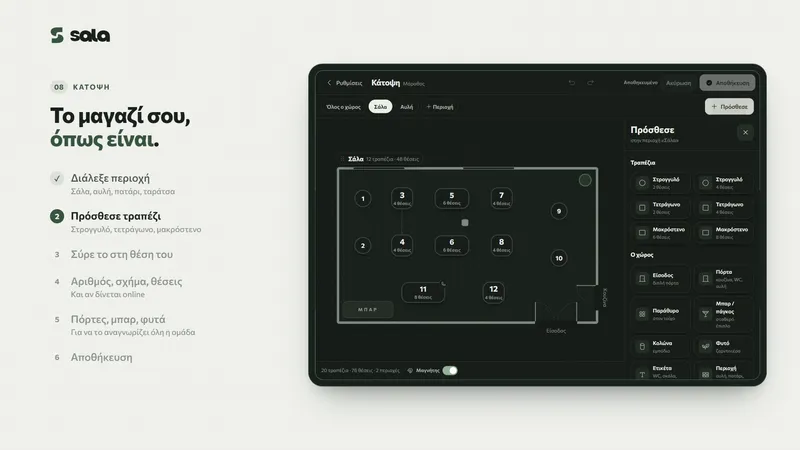
- Draw the floor plan the way your venue is
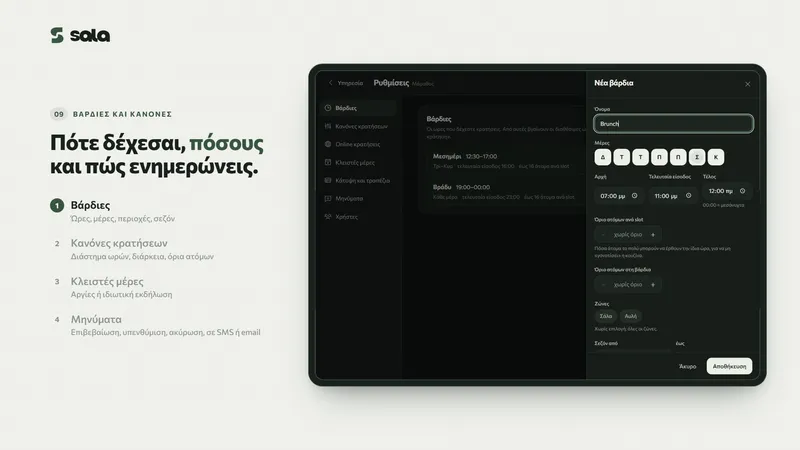
- Shifts, rules and the days you are closed
- Text for the SMS and emails
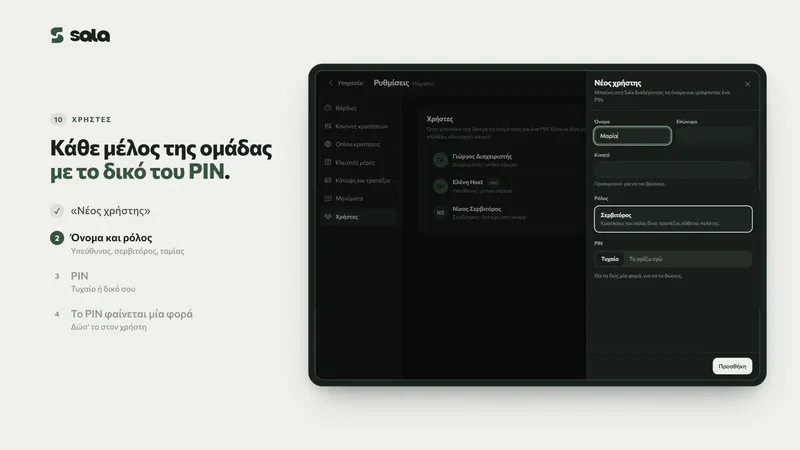
- Users with roles and their own PIN
- Works on tablets and phones, even if the internet drops
Together with Flow
The following only work when Sala is connected to the Flow POS.
- Reservations show inside the till, and “Seat” opens a bill at the table.
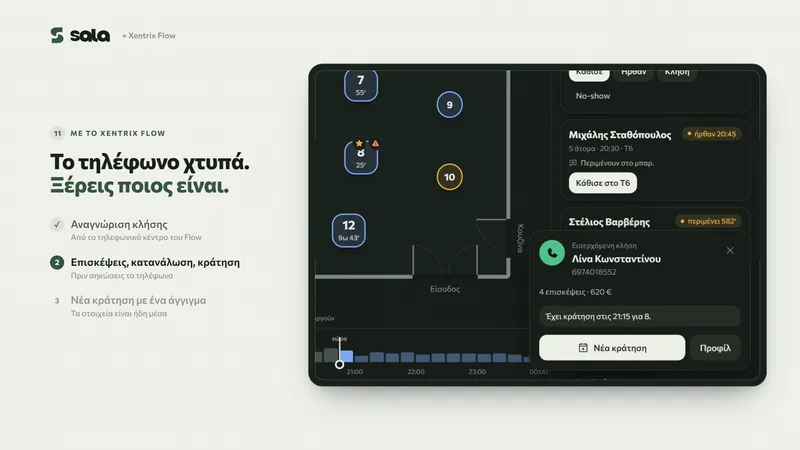
- When the phone rings, the guest card shows their visits and how much they have spent.
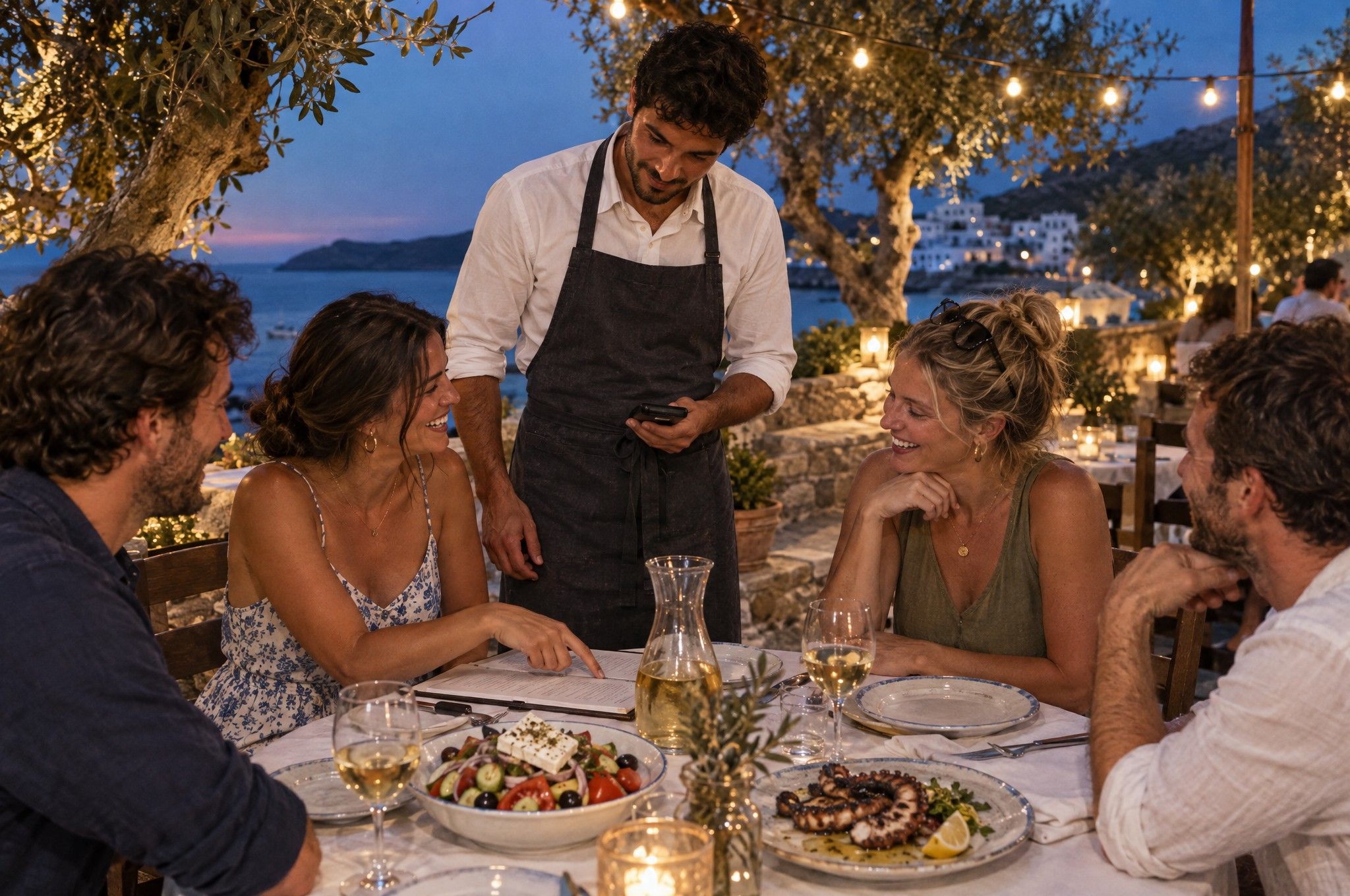
- On the handheld, waiters see the next booking, VIPs and allergies.
- The floor plan and users are shared, and what a guest orders is saved to their profile.
Price
€25a month per store, excl. VAT
- No limit on bookings, tables or users
- Email confirmations are free
- SMS €0.05 + VAT each
For Flow customers, Sala costs nothing extra.
Book a demo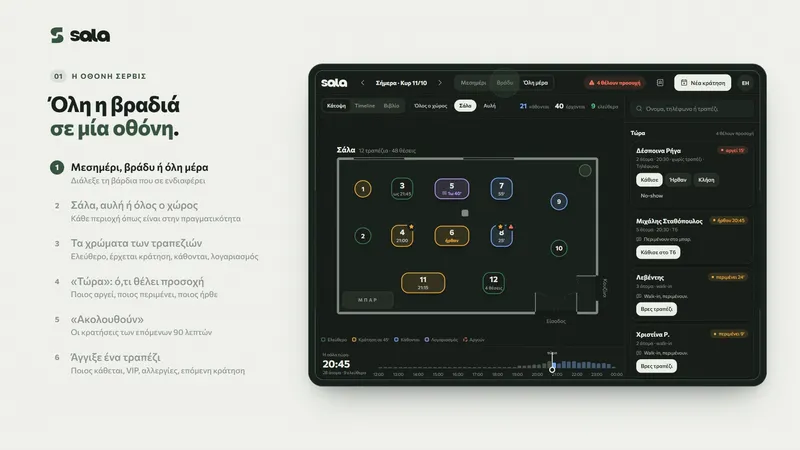
Frequently asked questions
Do I need Flow to use Sala?
No. Sala works on its own. If you have Flow, bookings show inside the till and Sala costs nothing extra.
How much does it cost?
€25 a month per store + VAT, with no limit on bookings, tables or users. Email confirmations are free. SMS cost €0.05 + VAT each.
Is there a minimum term?
No. The subscription is month to month and you can stop it whenever you like.
Which devices does it run on?
Tablets and phones, and it keeps working even if the internet drops.
How do my guests book?
On your venue’s booking page, any time of day, or by phone, which you enter on the same screen. They get the confirmation by SMS or email.
How do I learn to use it?
There are short how-to videos for every step, here on this page. If you get stuck, call us on +30 210 224 1320, any time of day.
Want to see it with your own dining room?
We set it up with you, using your rooms and shifts. We reply within one working day.